
Jackpotspins Registration: Create an Account 2026 United Kingdom
Jackpotspins Registration for players in United Kingdom in 2026. Read the offer and start playing today. Updated by our editors. Verified data only. No small print surprises.

Getting started with Jackpotspins
Create an account
Fill the form and confirm your email.
Make a deposit
Choose a method and confirm the payment.
Claim the bonus
Enter the promo code before the first deposit.
Jackpotspins offers for new accounts
Key Jackpotspins details
App downloads
- 700K+
Platform
- Mobile app (Android) and browser
Currency
- GBP
Age limit
- 18+
Support
- Email and in-app help
I walk through Jackpotspins registration for players in Great Britain in 2026, from the join button to the first login, with the UK Gambling Commission licence and 18+ rules explained along the way.
Register at Jackpotspins in Four Steps: The Shortest Path to a Verified Account
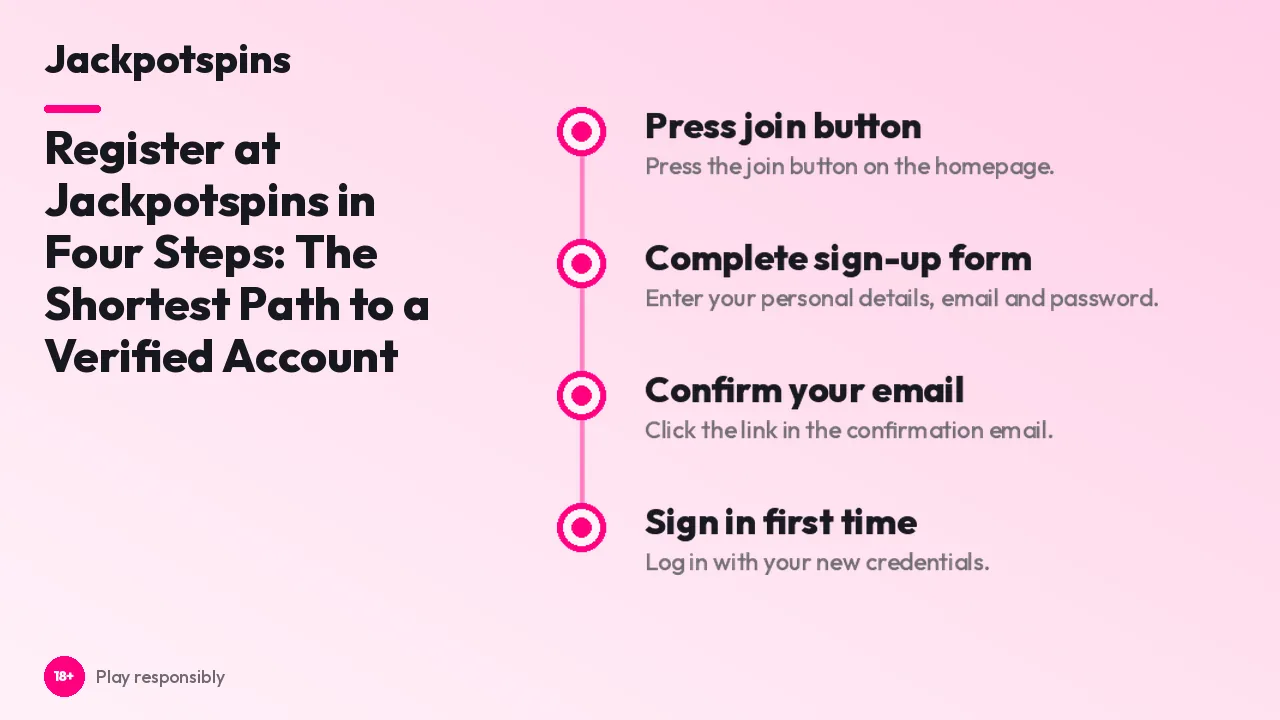
To register at jackpotspins, press the join button, complete the sign-up form with your real details, confirm the link sent to your email, then sign in for the first time. Jackpotspins operates under a UK Gambling Commission licence, and the licence line in the site footer shows the details. I would keep ID documents nearby, because accurate details make later verification smoother.
1. Press the join button on the homepage.
2. Fill in your personal details, email, password and consent boxes.
3. Open the confirmation email and click the link inside.
4. Sign in with your new credentials.
Filling in the sign-up form
I go through the fields in the order they appear: name, date of birth, address, email, password, then the consent boxes. The ones I double-check before submitting are name, date of birth and address. I recommend entering them exactly as printed on your ID documents, because even a small mismatch, such as a shortened first name or a different address format, can trigger extra checks when the casino verifies your identity later.
For the email, use an address you can open right now, since the next step depends on it. Pick a password you do not use elsewhere. Read the consent boxes rather than ticking everything automatically: marketing permissions are optional, whereas the terms and the age confirmation are required. This is the core of Jackpotspins registration, and taking two extra minutes here saves delays later.
Confirming your email and first login
After submitting the form, I check the inbox for the confirmation message and click the link. If nothing arrives within a few minutes, I look in the spam folder before requesting a new one. Once confirmed, the account is active and you can sign in with your email and password. Players who search for "jackpotspins registration login" are usually looking for the sign-in page, which only works after registration is complete, and that is the point where "jackpotspins registration registration" ends and normal account use begins.
Who Can Register: Age, Location and Document Requirements
You must be 18+ and living in Great Britain to open a Jackpotspins account, because the casino operates under UK Gambling Commission rules. I would check this eligibility line before typing anything into the form. The regime also expects operators to verify identity, so having your documents ready makes Jackpotspins registration quicker.
The UK Gambling Commission covers the United Kingdom, so the account is intended for residents there, not for players elsewhere. Beyond this, I add no requirements that the licence regime does not generally impose. If any detail is unclear, the full terms are on the site itself.
| Requirement | Why it is asked | What to prepare |
| Age 18+ | Legal minimum for gambling in the UK | Date of birth matching your ID |
| Great Britain residency | The licence covers the United Kingdom | Current home address |
| Proof of identity | Operators must confirm who the player is | Passport or driving licence |
| Working email | Needed to confirm the account | An inbox you can open now |
| Payment details | Deposits and withdrawals must match the account holder | A card in your own name, such as Visa |
Gambling carries financial risk and can become addictive, so I suggest deciding your limits before you play. Jackpotspins registration is the right moment to look at deposit limits and self-exclusion, both of which help you stay in control. Treat play as entertainment, never as a way to earn money. If gambling stops feeling under control, GamCare offers free support at gamcare.org.uk or on 0808 8020 133.
KYC Verification After Sign-Up: What Gets Checked and When
KYC (know your customer) is the identity check that follows registration, and account verification requires it. Under the UK Gambling Commission regime, operators must confirm who you are, how old you are and where you live before they release withdrawals. I advise uploading documents early, so the first withdrawal is not held up. Timings are listed on the operator's cashier or help pages, so I do not quote any here.
Registration also requires KYC, so treat it as part of opening the account rather than an optional extra. Two technical protections sit alongside it. SSL encryption protects your login and the personal data you submit. RNG (random number generator) testing is how slots are meant to produce unpredictable outcomes. Neither removes the financial risk of gambling, which remains an entertainment cost, not an income source.
Documents to have ready
Based on general UK practice, I would prepare the following, since I cannot see an operator-specific list:
- Proof of identity: a valid passport or photocard driving licence.
- Proof of address: a recent utility bill, bank statement or council tax letter showing your name and current address.
- Proof of payment method: sometimes a card image with the middle digits covered, or a statement line, if requested.
I scan or photograph every page in good light, with all four corners visible and nothing cropped. The name and address on the documents should match what you typed at sign-up. If an operator asks for something different from this list, follow its instructions.
What can go wrong and how to fix it
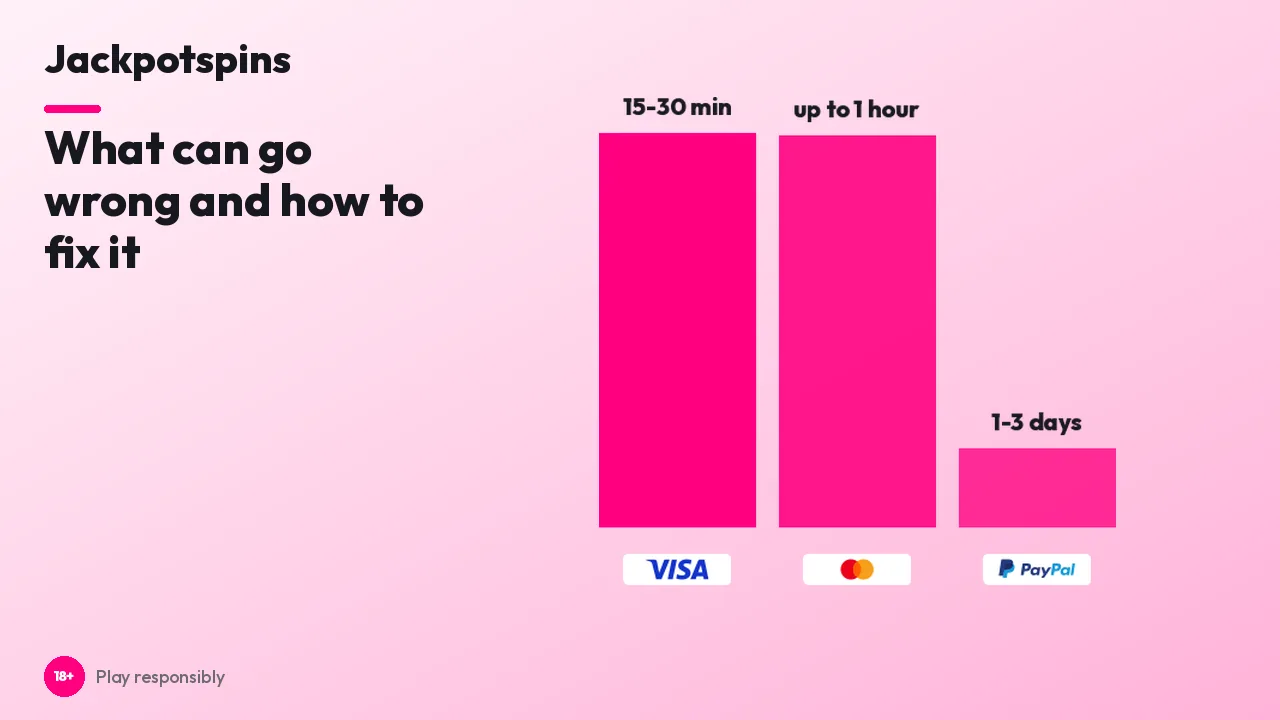
The most common snags I see are mismatched names, blurry scans, expired documents and proof of address that is too old or does not show a full address. The fix is usually simple:
1. Re-upload a clear, uncropped image of the same document.
2. Correct any detail in your account profile that differs from your ID.
3. Swap in a more recent proof of address if the first was rejected.
4. If the same document is rejected twice, contact customer support through the help pages and ask exactly what is missing.
I keep copies of every message sent. If a dispute is not resolved with the operator, the complaints route points towards the UK Gambling Commission's approved resolution process.
Making Your First Deposit: Visa, Mastercard and PayPal in GBP
I start with Visa for the first deposit, because it is the primary method I cover, with Mastercard and PayPal as alternatives. Open the cashier, choose the method, enter the amount in GBP and confirm. Before depositing, I check that the card name matches the account name. Limits and processing times are shown in the cashier, so I do not state any here.
A jackpotspins registration deposit is straightforward once the account is verified. GBP supports Visa, so there is no currency conversion to think about for UK card payments. Set a deposit limit before you pay in, and only deposit money you can afford to lose, because gambling is entertainment with real risk.
| Method | Deposit | Withdrawal | Check before use |
| Visa | Primary method; amount entered in GBP in the cashier | Normally returns to the method used to deposit | Card name matches the account name |
| Mastercard | Alternative card option in the cashier | Normally returns to the method used to deposit | Card is in your own name and not expired |
| PayPal | Alternative option in the cashier | Normally returns to the method used to deposit | PayPal account name and email match your details |
Withdrawals normally go back to the deposit method, which ties directly to verification. A jackpotspins registration withdrawal is usually held until KYC is complete, so uploading documents before your first cash-out avoids avoidable delays. The cashier page lists current limits, fees and processing times for each method.
If the name on a payment method does not match your account, I resolve it with support before depositing rather than after. Never use someone else's card or account.
Claiming the Welcome Offer During Sign-Up: Conditions to Read First
At Jackpotspins, the welcome bonus requires registration and a qualifying deposit, so it is not free for simply signing up. I recommend reading the offer terms before opting in, because wagering, eligible games and expiry rules decide how useful it is. The current figures sit on the jackpotspins welcome bonus page, and I quote none beyond what is verified.
The welcome bonus can contain free spins, but these are tied to the deposit and to specific slots. Searches such as "jackpotspins registration promo code" and "jackpotspins registration no deposit bonus" suggest players hope for a code or a no-strings reward. I would not assume either exists. Check the terms page for whether a code field appears and whether any no-deposit offer is currently listed.
Conditions I check before opting in
- Wagering: connection data points to a x40 requirement on the welcome bonus, which I treat with caution. Confirm the figure in the current terms, because it can change.
- Eligible slots: free spins usually work on named slots only. Examples of titles I have seen in this kind of offer, such as Big Bass Bonanza and Starburst, are only illustrations of what to look for, not confirmed Jackpotspins terms.
- Provider and game lists: spins on Jackpot City Gold Blitz, a Microgaming slot, show why I check which games count.
- Deposit rules: the minimum qualifying deposit and the payment methods that count.
- Expiry: how long the bonus and spins stay valid.
Anyone looking up "jackpotspins registration welcome bonus" or "jackpotspins registration free spins" should treat what they find as a starting point, then confirm everything in the live terms. Wagering means bonus funds must be played through before withdrawal, so gambling can cost you money. Only claim an offer if you are 18+ and comfortable with that condition, and set a deposit limit first.
Registering on Mobile: Browser or App
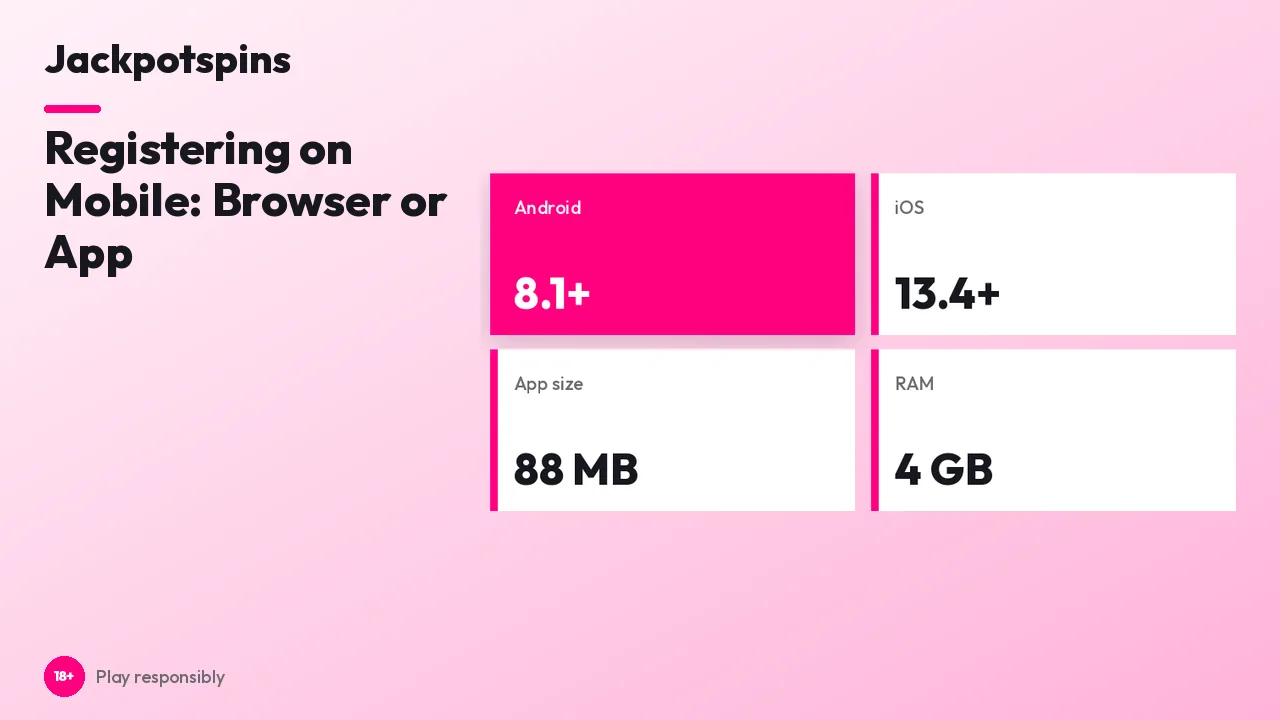
I would start with the mobile browser, because it needs no download and follows the same sign-up form as desktop. An app may exist, but I do not claim availability here. Check your phone's store listing first. Whichever route you take, the account is the same, so your details, balance and verification status carry over.
The jackpotspins registration app question comes down to convenience. A mobile app can offer slots in a layout built for smaller screens, and some players like quick access from the home screen. A browser avoids storage use and keeps you on the licensed site directly.
| Route | Good for | What I check |
| Mobile browser | Quick sign-up, no download | Padlock icon and correct web address |
| Mobile app | Home-screen access to slots | Store listing confirms the operator name |
If you want free spins on mobile, the jackpotspins free spins page lists what is currently offered. I would not install anything from a link sent by message or email. Registration needs a valid email and ID details whichever route you use, and the same 18+ rule applies.
Set Your Limits on Day One: Deposit Limits, Self-Exclusion and GamCare
I set a deposit limit before my first deposit, and I recommend every player does the same. Deposit limits, self-exclusion and GamCare support are the three tools worth knowing about from the very first day.
Tools I configure straight after registering
- Deposit limits: these cap how much you can pay in over a set period. I choose an amount I could lose without it affecting my bills or savings, then enter it in the account's safer-gambling settings before touching the cashier.
- Self-exclusion: this blocks access to your account for a period you choose. It is there if play stops feeling like fun, and I would use it without hesitation if it did.
- Reality checks and time-outs: where the site offers them, I switch them on early rather than waiting for a problem.
The 18+ rule is not a formality. Registration requires 18+, and the operator verifies age as part of its UK Gambling Commission obligations.
If gambling is causing worry, GamCare offers free, confidential support at gamcare.org.uk or on 0808 8020 133. Please do not wait until things feel serious before using it.
One note on offers: a jackpotspins no deposit bonus or any other promotion should never change the limit you have set. Limits come first, offers second.
Registration Problems and Final Checks Before You Play
If registration fails, the cause is usually a typo, a detail that does not match your ID, or an email that has not arrived. I fix these in order: check the entered details, look in spam, then contact support. After your first login, I run the short checklist below before I play anything.
| Problem | Likely cause | Fix |
| Confirmation email not received | Typo in the address, or the message went to spam | Check spam, then request a new email or correct the address |
| Details rejected | Name or date of birth differs from your ID | Edit the details to match your documents exactly |
| "Account already exists" | A previous account with the same email or details | Use the sign-in page or password reset instead of creating another |
| Cannot sign in | Email not yet confirmed, or wrong password | Confirm the email first, then reset the password |
Duplicate accounts are the error I would avoid most, because they can lead to restrictions. Searches such as "jackpotspins registration login" usually mean the account exists already, and "jackpotspins registration registration" problems often come from starting over when a reset would have done.
My pre-play checklist after the first login:
1. Confirm the name, date of birth and address match your ID.
2. Set a deposit limit and check that self-exclusion tools are available.
3. Upload verification documents early.
4. Read the terms of any offer, including the jackpotspins promo code page, before opting in.
I also read jackpotspins registration reviews with caution, since experiences vary and none replace the site's own terms. My next action is simple: set the limit, then decide whether to deposit at all.